Pichler AIDE
Menu

AI consulting.
Automation.
Custom software.

AI consulting, training, automation and custom software. For construction businesses and individuals from different professions.

Construction meets digital.

CONSTRUCTION × AI · MINI GAME

Your building site.
Your AI copilot.

Build the house on site. Place components, keep access clear and use the game AI.

12 components · Drag or tap

WHAT PICHLER AI OFFERS

Four ways to work together.

AI consulting

Find a useful starting point.

We look at your task and discuss where AI could help, where it reaches its limits and what a sensible next step looks like.

Tell me what you need ↗
A possible starting point

You want to use AI, but are unsure where to begin.

Your task
Possible approach
Next step
AI training

Learn through practical tasks.

Learn to give clear instructions, assess responses and work with the results. We agree content, format and scope individually.

Tell me what you need ↗
An example task

Draft an email, organise information or prepare research.

Task
AI output
Your review
Automation

Connect recurring steps.

We assess which repeated tasks can be connected or automated. Whether your existing tools can be integrated is checked for your specific case.

Tell me what you need ↗
An example workflow

Information is repeatedly copied, sorted and passed on.

Capture
Organise
Pass on
Custom software

Develop what your task needs.

When existing software does not fit, a custom application may be an option. We clarify functions, data and scope before implementation.

Tell me what you need ↗
An own project

CalcBud is an example of a construction task translated into software.

Requirements
Application
Review

Explore sideways, swipe or choose a service.

What would you like help with?

For your business

Recurring admin, scattered information or a task your software cannot handle: we look at the work and explore what could be simpler. Business services focus on sole traders and small teams in construction.

Support for your business

For you

Want to use AI at work, get clear guidance or develop an idea of your own? We start with the tasks that matter to you. You do not need to work in construction.

Support for individuals

From your task to the right support

  1. Understand the task. Tell me what you want to achieve and where you get stuck.
  2. Explore the approach. We discuss whether consulting, training, automation or custom development fits your needs.
  3. Agree the scope. Before implementation, we agree the next steps and what the work will include.

A background in construction and building materials

Experience in bricklaying, site responsibilities and customer advice in the building materials trade forms Pichler AI’s industry background. It brings the work between site, office and customer into focus.

Joshua Pichler. Construction experience and software.

Joshua Pichler is the person behind Pichler AI. His professional background in construction and the building materials trade is complemented by four years of self-taught programming, including CalcBud and several smaller apps.

That experience connects an understanding of business tasks with practical software development. Ongoing learning about AI and new development tools adds to that foundation.

More about Joshua

From hands-on construction to customer advice

I trained as a bricklayer in Switzerland, earning the EFZ qualification. I then worked in bricklaying and customer-facing building work, followed by roles with site responsibilities. Later, I advised customers in the building materials trade.

This introduced me to different sides of the work: delivery on site, coordination within a business and the questions raised in customer conversations.

Learning to code by building things

Four years ago, I started teaching myself to code. Since then, I have built CalcBud and several smaller apps. Some are not publicly available, but they are part of my practical experience.

The learning continues: AI and software development are subjects I keep working on.

What this means when we work together

Your workflow, questions and idea are the starting point. Together, we clarify what a solution needs to do in your work and what support makes sense. You have a direct point of contact throughout.

BUILT FROM CONSTRUCTION EXPERIENCEOWN SOFTWARE PROJECT

SOFTWARE PROJECTConstruction material calculators

A task from construction. An application in use.

Open CalcBud
01 / 03The task

How much material?

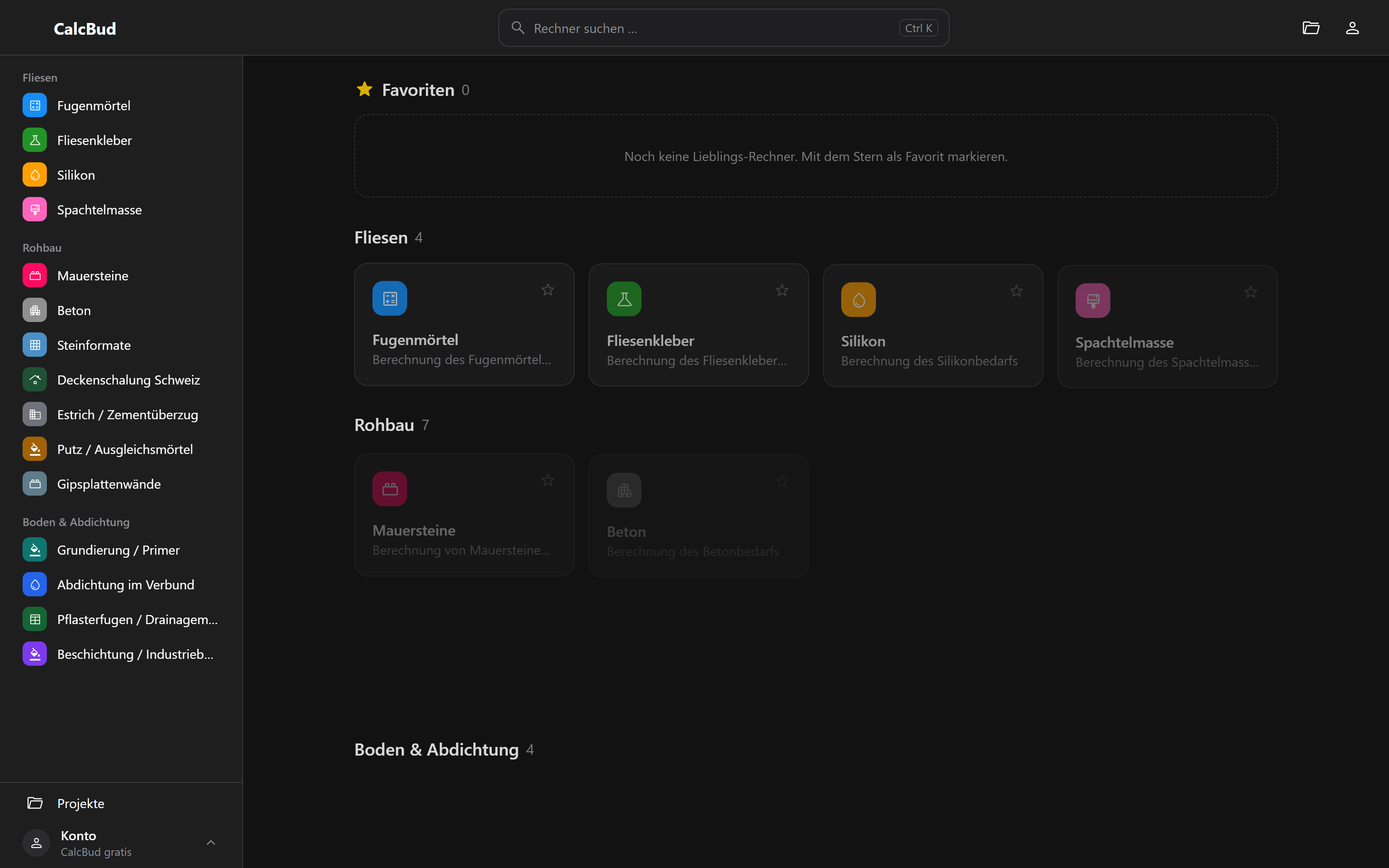
CalcBud brings together calculators for construction tasks.

CALCBUDOriginal desktop view
Calculator overview

Used by employees at a building materials supplier through their intranet.

More application views
Project, purpose and practical use

How much material does a construction task require? CalcBud brings together calculators in a web application, including concrete, tile adhesive, plaster and levelling mortar.

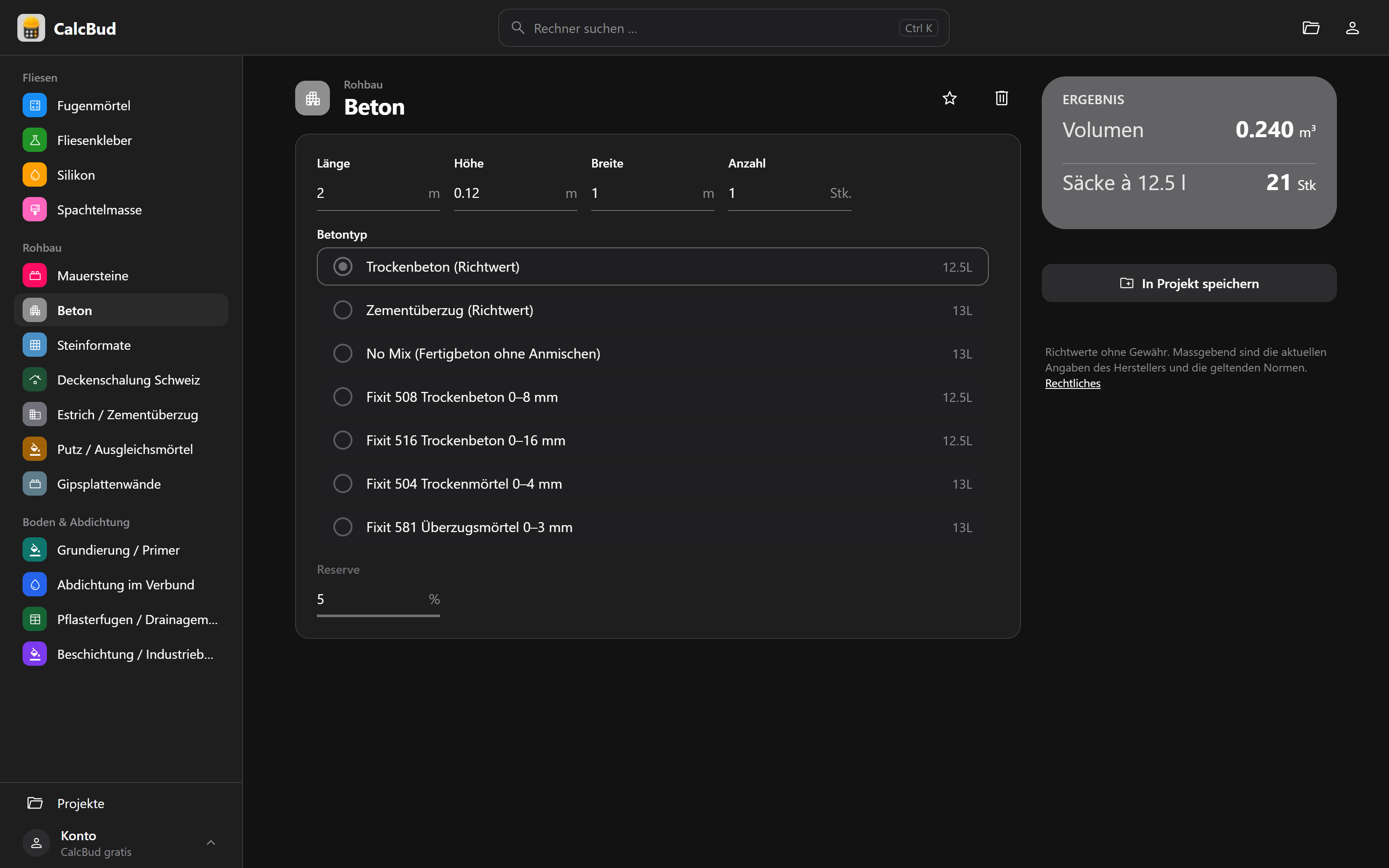
The concrete calculator is one example: length, width, height and the number of items determine the volume. The selected material and a reserve allowance are used to determine the number of bags required. This turns individual dimensions into quantities for further planning.

CalcBud is Joshua’s own software project. Employees at a building materials supplier use the application through their intranet. The project illustrates how a task from construction can be translated into a digital application.

Explore CalcBud

Tell me what takes your time or what you have in mind.

Describe your needs or request a meeting.